BeeTV App Review 2026: Features, Download Guide & Safety Overview
Admin
Author on TechnixHub
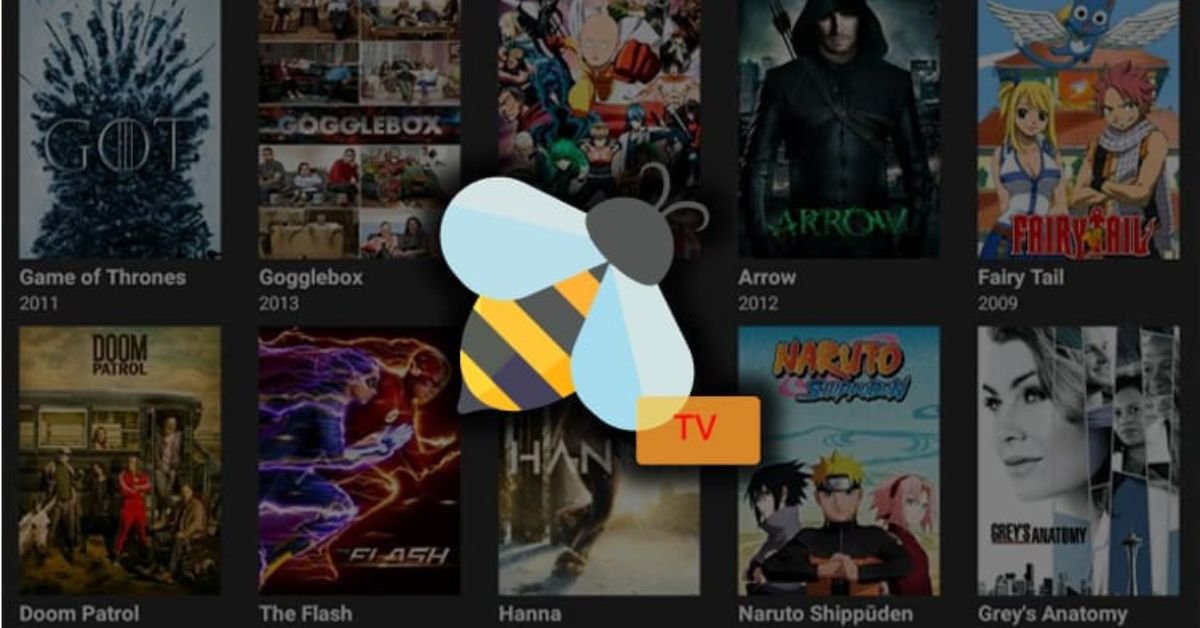
BeeTV app is a free streaming app for watching movies and TV shows. It offers a large collection of streaming sources from different providers. Some sources are marked as trusted sources for better quality and performance. The app has a simple, TV-friendly user interface. It also supports viewing history and a watchlist for easy tracking.
Users can change streams during playback. Subtitles are also supported. BeeTV works well with a TV box and remote control. It includes voice search for finding titles quickly. The app also connects with Trakt.tv, Real-Debrid, AllDebrid, and Premiumize for additional streaming features.
BeeTV App File Information
The BeeTV app has changed its package name in recent versions. The source states that the latest package is com.busydev.audiocutter. It is not available through the Google Play Store. Users may find the app from different Internet sources. BeeTV is designed as a streaming app for movies and TV shows.
It can run on a compatible TV box and works with a remote control. The app receives frequent updates, so keeping the latest version is important for maintaining quality stream sources. An existing Trakt account can also restore viewing history and currently watched shows after setup.
BeeTV Movies & TV Library
The BeeTV app offers a large library of movies and TV shows. Its movie database is connected with TMDb, which provides useful details for each title. Users can see descriptions, ratings, and posters before choosing something to watch. The library also helps users discover new video titles through cast information. You can select a cast member and explore their other performances.
This makes browsing easier when you want something different. BeeTV also provides many stream sources for available titles. Some are marked as trusted sources. The app includes different types of streaming content, making it useful for regular viewing and discovering new movies and series.
BeeTV Key Features
- Large Stream Sources: Offers many sources for movies and TV shows.
- Trusted Sources: Provides selected trusted sources for streaming.
- Viewing History: Keeps track of your watched content.
- Watchlist: Lets you save favorite movies and TV shows.
- Easy Playback: Supports smooth playback with different streaming options.
- Remote Control: Works well with remote controls on TV devices.
- Subtitle Support: Supports subtitles for better viewing.
- TV-Friendly Interface: Offers a simple interface for easy TV viewing.
How Cyber Security Partners Protect Businesses from Data Breaches?
Pros and Cons of the BeeTV App
The BeeTV app has several useful features for regular streaming. One major benefit is its large movie database with many movies and TV shows. Users can explore different streaming sources and save titles to a watchlist. The app also supports subtitles, viewing history, and a TV-friendly interface. It can work with a remote control on supported devices.
BeeTV also has some drawbacks. Stream quality can depend on available sources and may cause buffering. Some sources may not work properly. The app may also require manual APK installation because it is not available on the Google Play Store. Users should also check local laws and use safe, trusted sources.
What Kind of Stuff Can You Watch?
The BeeTV app offers a wide range of streaming content for different interests. Users can explore many movies and TV shows in its large movie database. You can find action, comedy, drama, thriller, family, and other popular genres. The library also includes new and older video titles. Each title can provide useful details before you start playback. Users may also explore cast information and discover other movies or shows.
BeeTV provides different stream sources for available content. Some sources may offer different stream quality options. You can also use subtitles when available. A watchlist helps save titles for later. The viewing history makes it easier to find content you watched before.
Is the BeeTV App Safe and Legal to Use?
The safety and legality of the BeeTV app can depend on how it is used and where you live. BeeTV may provide access to different stream sources, but users should understand that not every source may have permission to share movies or TV shows. The app is also commonly installed through an APK instead of the Google Play Store. This can create security risks if the APK comes from an unknown website.
Always use trusted sources and keep your device protected. Avoid suspicious files, pop-ups, and unknown links. A VPN can help protect your privacy while browsing, but it does not make unauthorized streaming legal. Check your local copyright laws before using any streaming app or content source.
How to install BeeTV on Firestick for free?
Installing an APK on a Firestick may require changing some device settings. First, make sure your Firestick is connected to the internet and updated. Then, use a trusted app source if the BeeTV app is legally available in your region. Avoid downloading APK files from unknown websites because they may contain harmful software. You should also check the app’s permissions before installation.
After installing, open the app and review its settings. If BeeTV is not available through an official store, consider using a legitimate streaming service instead. A VPN can improve privacy, but it does not verify the legality of content. Always follow Amazon’s device rules and your local laws when installing third-party apps.
Horangi Cyber Security: Cloud Security, Compliance, and Threat Detection
BeeTV App for Android TV & Firestick
The BeeTV app is designed for Android devices, including Android TV and compatible Firestick setups. Its TV-friendly interface makes browsing movies and TV shows simple. Users can explore different streaming sources and select available playback options. The app may also support a remote control, making navigation easier on a TV screen. Features such as subtitles, a watchlist, and viewing history can improve the viewing experience.
Some users may install the app through an APK when it is not available on the Google Play Store. Always download apps from trusted sources. Check the app’s permissions before installation. Also, follow local laws and device rules when accessing streaming content.
Conclusion
The BeeTV app offers a simple way to explore movies and TV shows through a large movie database. Its useful features include stream sources, subtitles, watchlist, and viewing history. The TV-friendly interface can also make browsing easier on Android TV and compatible Firestick devices. However, users should be careful when downloading an APK from third-party sources.
Stream availability and quality can also vary between sources. Safety and legal rules should be considered before using any streaming app. Always choose trusted sources and protect your device. Check local copyright laws before accessing online streaming content. This helps create a safer and more responsible viewing experience.
FAQ’s
Can BeeTV save viewing history?
Yes, the app can support viewing history for previously watched content.
Does BeeTV offer different stream sources?
Yes, available movies and TV shows may have multiple stream sources.
Is BeeTV available on Google Play Store?
Availability can change by region and time. Users should check official app stores first.
Is BeeTV safe and legal?
Safety depends on the download source and device security. Content legality depends on licensing and local copyright laws.